Knox Security Platform
Secured by Knox symbolizes defense-grade security built into Samsung devices, protecting businesses and users at both hardware and software levels.
Hardware-backed
Defense-grade
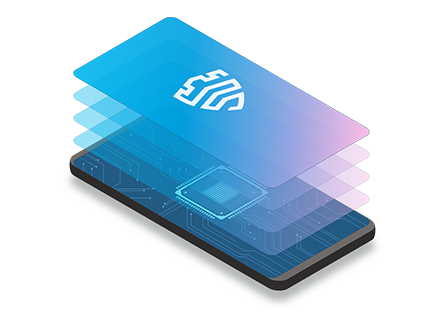

Effortlessly deploy, secure, manage, and command every device across your organization—all within one unified platform.
Samsung Knox is a business platform for configuring and managing mobile devices—offering efficient and customized use across industries. Keep your mobile infrastructure connected, protected, and productive.
Secured by Knox symbolizes defense-grade security built into Samsung devices, protecting businesses and users at both hardware and software levels.
Configure, customize, deploy, analyze, and manage devices from the cloud to improve business performance and workforce productivity anywhere.
Explore the capabilities that help you secure, deploy, manage, analyze, and support every device across its entire lifecycle.
We created Knox Suite to work with the Samsung Galaxy devices we make, helping you neutralize security threats immediately.
Keep track of how secure your device fleet is Find vulnerabilities based on Android security patch levels, and perform routine attestation checks to verify the integrity of your devices.
Enforce the latest security updates Ensure all the devices in your fleet have the latest security patches no matter where they are, and with no user interaction required.
Verify device integrity from afar Detect unauthorized modifications to your devices, such as rooting, device ID tampering, and more—all without leaving your desk.
Streamline device setup so employees can use work devices right out of the box. Our built-in chain of trust confirms a device’s integrity first
Achieve quick and easy setup
Simplify the setup wizard, automate UEM sign-ins, and quickly set up Wi-Fi configurations.
Discover a range of setup options
Our certified resellers automatically upload devices you purchase to your Knox services. Want to enroll individual devices? Use a QR code, either in the cloud or on-premises.
Verify device integrity from afar Detect unauthorized modifications to your devices, such as rooting, device ID tampering, and more—all without leaving your desk.
Verify device integrity from afar Detect unauthorized modifications to your devices, such as rooting, device ID tampering, and more—all without leaving your desk.
Get controls of large device fleets to manage consistent IT policies without interrupting workflows.
Gain granular controls over OS versions
With our flexible controls, choose between OS versions and finetune update scheduling based on your enterprise’s needs. Updates can be rolled out in a phased approach to minimize disruptions.
Take full control of the app lifecycle
Effortlessly distribute and manage apps across your fleet. Remotely configure app settings, perform seamless updates, and get insight into how apps are being used.
Leverage event-driven policy enforcement
Enforce policies based on the time, location, network status, SIM changes, and more. Need to disable the camera in a particular office location? There’s a policy for that.
Verify device integrity from afar
Detect unauthorized modifications to your devices, such as rooting, device ID tampering, and more—all without leaving your desk.
Manage devices across multiple OSs
Easily manage endpoints across multiple platforms. Key EMM or UEM capabilities support major platforms including Android, iOS, Windows, Mac OS, Chrome OS, iPad OS and Wear OS*.
Manage large device fleets with powerful data analytics. With more insight into Galaxy devices than anyone else, we can help you make smart decisions fast
Optimize device and app usage
Get deep insight into how your devices and apps are being used through an intuitive, customizable dashboard. You can also set work shifts to collect only the data you need.
Keep track of device locations
Use GPS-based location tracking to help you tightly manage assets and optimize workflows. Monitor the last-known location of devices on a map, and send commands to lost or stolen devices.
Manage device performance proactively
Address potential issues before they disrupt operations, thanks to detailed insights into how your devices perform.
Tackle device issues in real time with remote support tools at your fingertips.
Simplify remote assistance
Remotely access employee devices for troubleshooting, regardless of their location*. Control the device screen directly, take screen captures or recordings, and even transfer files.
*Requires network connectivity
Gather in-depth logs with ease
Collect detailed device logs for issue analysis, including debug and TCPdump logs. Quickly troubleshoot issues with a detailed summary of the device’s information, all on a single page.
Maximizing worker productivity is critical. We can tailor Samsung Galaxy devices to fit your workers’ needs.
Transform devices into dedicated work tools
Lock devices to a specific business app so employees can use them without distraction. Use our Kiosk Wizard to easily build your own kiosk without added development costs.
Customize the user experience for your business needs
Remap hardware keys on your devices to perform an app function, or to launch frequently-used features. Create your own intuitive interface for quicker workflows, or lock things down.
Turn smartphones into barcode scanners
Transform your frontline workers’ mobile devices into powerful barcode scanners, eliminating the need for dedicated devices—boost both mobility and productivity.
Let frontline workers pick up any shared device and make it their own, with simple sign-in automation using biometrics. Secure device-to-device (D2D) syncing also saves valuable time and costs.